npm Install and Pray: How One Line of Package.json Turned Into a Career-Ending Boss Fight
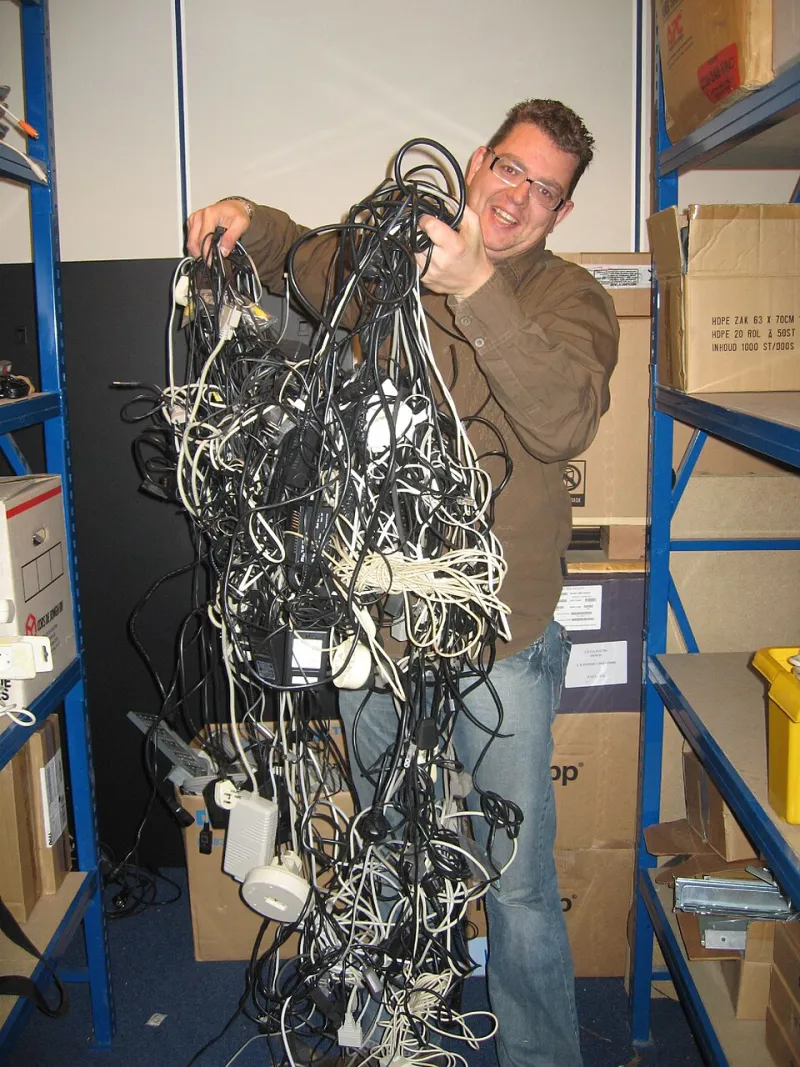
Photo: Jemimus, CC BY 2.0, via Wikimedia Commons
It started innocently enough. You needed a date formatting library. Something small, harmless, practically decorative. You typed npm install and went to grab a coffee. You came back to 47 warnings, 3 deprecation notices, and a build error referencing a package you have never heard of, written by someone who abandoned their GitHub account in 2019.
Congratulations. You have entered dependency hell. There is no fast travel. There is no save point.
The Illusion of Simplicity
Here is what the documentation promises: add a dependency, import it, use it, ship it. Here is what actually happens: the package you want requires version 4.x of a utility library. Another package you installed last quarter requires version 3.x of that same utility library. npm, with the cheerful optimism of someone who has never actually used npm, assures you this is fine and installs both. Nothing is fine. Nothing will ever be fine again.
The technical term for this situation is a "peer dependency conflict," which is a polite way of saying that two grown-up pieces of software have decided they cannot share a room and you are the camp counselor responsible for mediating.
The slightly less technical term is "your afternoon is gone."
How Three Packages Become Forty-Seven
Dependency graphs are one of those things that look manageable in theory and look like a Jackson Pollock painting in practice. You install Package A. Package A depends on Packages B, C, and D. Package B depends on its own version of Package C, which conflicts with the version Package D prefers. Package D has not been updated since the Obama administration but is somehow still the canonical solution to its particular problem.
Run npm ls and behold the tree. It scrolls. It keeps scrolling. You scroll for what feels like minutes. Somewhere around line 200, you spot a package called [left-pad](https://en.wikipedia.org/wiki/Npm_left-pad_incident) and feel a chill that has nothing to do with the office air conditioning.
This is the dirty secret of modern JavaScript development: the application you're building is actually a thin layer of your own code draped over a quivering mountain of other people's decisions. You are not a software engineer so much as a curator of strangers' judgment calls.
The Lockfile: Guardian Angel or Crime Scene Evidence?
Somewhere along the way, someone invented the lockfile — package-lock.json, yarn.lock, take your pick — and marketed it as the solution to reproducible builds. And it works! Right up until the moment someone on your team runs npm install without the --frozen-lockfile flag, or updates a single package, or breathes near the terminal with insufficient reverence.
At that point, your lockfile becomes a 4,000-line merge conflict that no human being can resolve by hand. People have tried. They have failed. There are developers still in therapy over what they saw in those diffs.
The pragmatic solution most teams land on is to commit the lockfile, treat it as sacred, and hope that no one asks questions about it during the code review. This works until it doesn't, which is always at the worst possible moment — typically during a deploy window on a Friday afternoon, thirty minutes before someone has a flight to catch.
The Phantom Vulnerability
Then there is npm audit. A feature added to helpfully inform you that your dependencies contain security vulnerabilities. A feature that, in practice, informs you that your dependencies always contain security vulnerabilities, that some of them are rated "critical," and that fixing them requires updating to a version that breaks three other things.
The result is a psychological phenomenon known in some engineering circles as "audit fatigue" — the state of having seen so many critical vulnerability warnings that your brain has quietly reclassified them as ambient noise, like a smoke alarm with a dying battery. You know it's there. You'll deal with it. Eventually. After the sprint. After the launch. After you find a new job somewhere that doesn't use npm.
The Ghost of Node Versions Past
No tour of dependency hell is complete without a visit to the Node version problem. Your machine runs Node 20. Your colleague's machine runs Node 18. Your CI pipeline, configured by someone who left the company before the pandemic, runs Node 14. Each environment resolves dependencies slightly differently. Each environment produces slightly different behavior. Your bug exists in exactly one of these environments, and determining which one requires a level of forensic patience that most people do not have on a Tuesday.
This is what nvm was invented to solve. This is also what nvm creates more of, because now you also have to manage your Node version manager, which has its own compatibility considerations, which vary by operating system, which your team does not standardize.
Survival Strategies (Such As They Are)
Experienced developers have developed coping mechanisms. Some pin every dependency to an exact version and update nothing until the pain of not updating exceeds the pain of updating. This is the "if it ain't broke" school of thought, and it works until you need a security patch and discover your entire dependency graph has calcified into something geologically ancient.
Others adopt aggressive automation — Dependabot, Renovate, automated PR pipelines that update packages and run tests and merge if everything passes. This works beautifully until a minor version bump introduces a breaking change that your test suite doesn't cover, which gets auto-merged, which deploys to production, which is how you spend your Sunday.
The most honest strategy, the one nobody puts in the architecture docs, is to keep a mental list of the packages you trust and the packages you fear, treat npm install like handling a live explosive, and maintain a deep, abiding respect for the chaos lurking inside your node_modules folder.
That folder, by the way, is probably larger than your actual application. It is almost certainly larger than the combined output of your last six sprints. It contains multitudes. It contains horrors.
It contains a package called is-odd that has been downloaded 500 million times and does exactly what you think it does.
Welcome to the ecosystem. Watch your step.